

How to fix phone not charging
Quick Summary
How to Fix an iPhone Not Charging
⚠️ Warnings
Steps
How to Fix an iPhone Not Charging
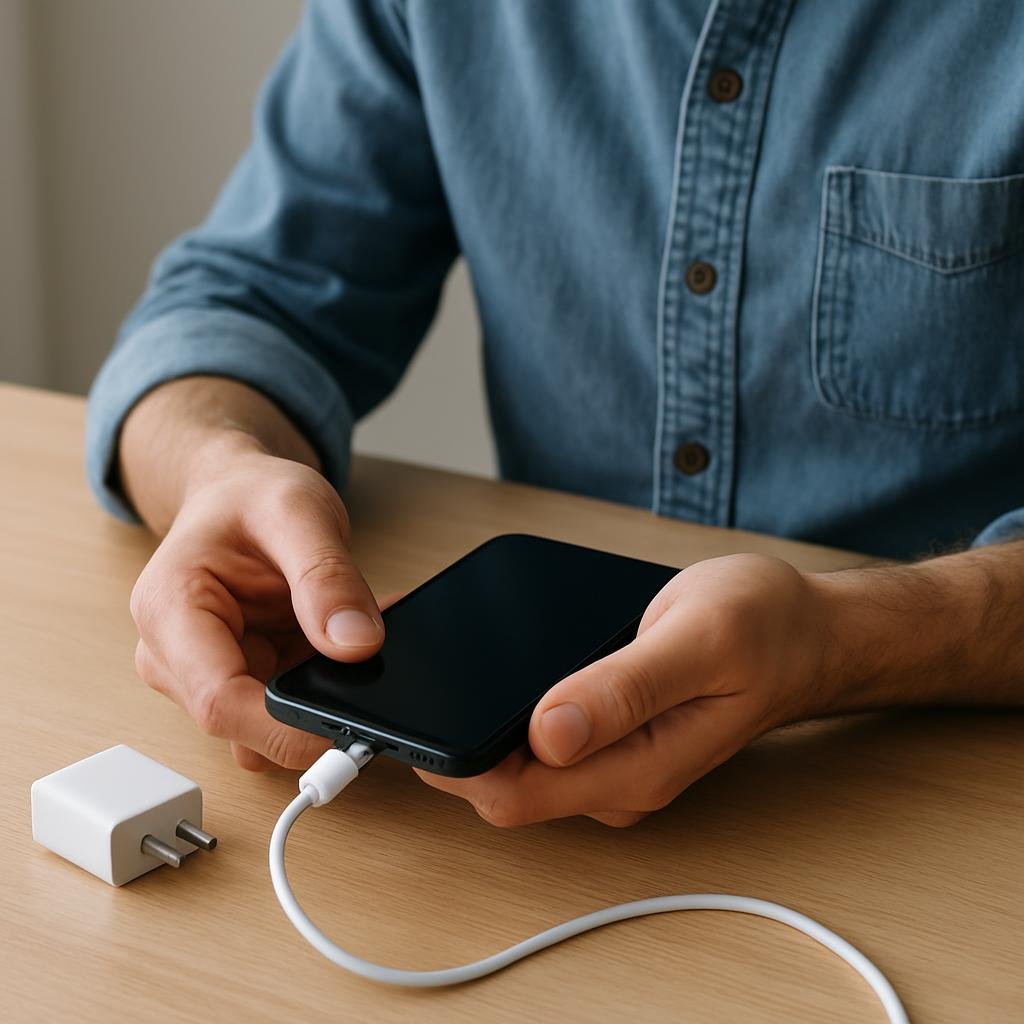
If your iPhone isn’t charging, there are several troubleshooting steps you can take to resolve the issue. This guide specifically addresses solutions for iPhones, while also briefly mentioning some considerations for Samsung and other Android devices.
Check the Charging Cable and Adapter

Start by inspecting your charging cable and adapter for any visible signs of wear or damage, such as fraying, exposed wires, or bent connectors. If you have access to a different charging cable and adapter, try using them to see if your iPhone charges with these alternatives. If your iPhone works with the new accessories, it is advisable to replace the damaged components immediately.
Clean the Charging Port

Dust and lint can accumulate in your iPhone's charging port, which may hinder proper charging. To clean it, gently use a toothpick or a soft brush to remove any debris. Exercise caution while doing this to avoid damaging the internal components of your device.
Force Restart Your iPhone

To address minor software glitches that may be preventing your iPhone from charging, perform a force restart. Press and hold the side button along with either the volume up or volume down button at the same time. Keep holding both buttons until the Apple logo appears on the screen, then release them.
Check for Software Updates

Outdated software can lead to charging issues. To ensure your iPhone is running the latest version, navigate to 'Settings', tap 'General', and then select 'Software Update'. If an update is available, follow the on-screen prompts to install it. Regularly checking for updates is essential for maintaining your device's performance.
Visit an Authorised Service Centre

If the above troubleshooting steps do not resolve the charging issue, it may be indicative of a hardware fault. In this situation, visit an authorised service centre where trained professionals can accurately diagnose the problem and recommend the necessary repairs.
Related guides and resources
Explore related how-to guides on our site, including more in this topic and our most popular tutorials.
Essentials for Productive Remote Work A well-equipped home office requires a stable internet connection, a chair that provides proper spinal support, a monitor positioned at eye level, and lighting that does not create glare on the screen. Focus on these fundamental elements first; once you have established a solid foundation, you can enhance your setup with additional accessories as needed. What You'll Need To create a budget home office setup, you will need the following items: a desk (at l
When should I build a budget home office setup?A practical guide to launching a website safely. HTTPS, backups, and forms — run through the go-live checklist before sharing your URL publicly.
Launching a website safelyA practical guide to guest wifi setup. A practical guide to you should set up guest wi-fi. Keep visitors on an isolated network — read this overview, then follow the interactive router steps.
Why you should set up guest Wi-FiBrowse all guides in this category.
More in TechnologyOne of our most-read how-to guides.
How can someone organize a makeup collection?🔧 Troubleshooting
iPhone charges slowly or intermittently.
Try using a different power source, such as a wall outlet instead of a USB port, and ensure the charging cable is securely connected.
Mould keeps returning
Check for leaks or high humidity levels. Use a dehumidifier if necessary.
Silicone is damaged after cleaning
If the silicone is damaged, it may need to be replaced to prevent further mould growth.
Cleaning solution not effective
Try using a stronger solution or consider commercial mould removers designed for silicone.
Phone does not charge when plugged in.
Check if the charging cable is damaged or frayed. Try using a different cable or charger to see if the issue persists. If the phone still does not charge, inspect the charging port for debris or lint and clean it gently with a toothpick or compressed air.
Phone charges slowly.
Ensure you are using the original charger and cable that came with your phone, as third-party chargers may not provide adequate power. Additionally, check if there are any background apps consuming excessive battery power and close them. If the issue continues, consider resetting your phone's settings or updating to the latest software version.
❓ FAQs
What should I do if my iPhone still won't charge after trying all these steps?
If your iPhone still won't charge, it's best to contact Apple Support or visit an authorised service centre for further assistance.
Can I use bleach to remove mould from silicone?
While bleach can kill mould, it may not be effective on silicone and can damage the material. It's better to use vinegar or baking soda.
Can using a non-certified charger damage my iPhone?
Yes, using non-certified chargers can potentially damage your iPhone's battery and charging port. Always use Apple-certified accessories.
How often should I clean silicone to prevent mould?
Regular cleaning every few months, especially in damp areas, can help prevent mould growth on silicone.
Is mould on silicone harmful?
Yes, mould can cause respiratory issues and allergies. It's important to remove it promptly.
What if the mould returns after cleaning?
If mould returns, check for underlying moisture issues and consider using a mould-resistant sealant.
Can I remove mould from silicone in the shower?
Yes, the same cleaning methods apply. Ensure the area is well-ventilated while cleaning.
Know a better way?
Suggest clearer steps, fix mistakes, or add detail you use in practice. Your edit is reviewed before it goes live.
Was this guide helpful?
Guide by How To Library
You might also like
Similar guides based on topic, category, and tags.
When should I build a budget home office setup?
Essentials for Productive Remote Work
Launching a website safely
Launch day bugs are predictable: mixed content warnings, forms that do not email, and missing analytics. Understanding launching a website safely in a UK context saves costly mistakes — regulations, suppliers, and safety standards differ from other countries. Back up files before changing system settings, and download software only from official vendor sites.
Why you should set up guest Wi-Fi
Sharing your main Wi-Fi password gives guests access to printers, NAS drives, and smart devices on the same LAN. Understanding why you should set up guest wi-fi in a UK context saves costly mistakes — regulations, suppliers, and safety standards differ from other countries. Back up files before changing system settings, and download software only from official vendor sites.
How To Get More Views
How to Get More Views on Your Content
How do i connect fire tv stick?
Trending topic discovered via Question seeds. Work steadily through this part of connect fire tv stick, pausing to double-check your work against the goal before moving on — most mistakes are caught when you slow down at transitions between stages. Back up files before changing system settings, and download software only from official vendor sites.
How to use Ai In the best way?
Maximising the Benefits of AI in Your Life
Comments
Log in to comment.